The email you've been putting off.
Say the greeting, the message, and the sign-off. Dictate into your email app with free Local mode.
Free, open-source dictation for Mac
The email, the quick reply, the idea you don't want to lose. Say it naturally. Plainsay puts your words where you're writing.
No account. No subscription. Premium features are optional.
macOS 14 or later · Apple silicon
THE MONDAY PLAN
Let's keep the morning free for the proposal. We can catch up after lunch.
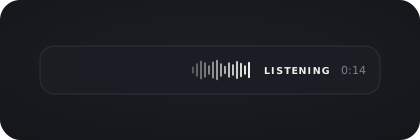
Illustrative example. No microphone needed.
Fits into your day
You don't need another place to put your thoughts. Just click a text field in the app you're using.
Hold to talk, or tap to start and stop. Choose the key that feels right.
A quick message or a longer thought. Optional Polishing tidies filler and punctuation.
Your text lands at the cursor. If an app can't accept it, Plainsay keeps it on the clipboard for you.
Useful in the ordinary moments
Say the greeting, the message, and the sign-off. Dictate into your email app with free Local mode.
Talk through a thought in your notes app. Local speech recognition runs on your Mac, without an account or subscription.
Add people, projects, and product names to your vocabulary. History and voice filtering are included in the free app too.
Free to use. Optional extras.
Local is a complete, free dictation app. You never need to upgrade to keep dictating. Cloud is an optional paid service for hosted transcription, Polishing, and translation.
KEEP SPEECH ON YOUR MAC
Free
For everyday dictation, with your audio staying on your Mac.
Requires a one-time speech-model download. Optional hosted Polishing sends transcript text to its provider.
OPTIONAL PREMIUM SERVICE
US$4 / month
Billed monthly. VAT included.
Audio and transcript text are processed by the Cloud service. Selected-text AI rewrites currently require your own provider.
Already have an AI provider? Bring your own key in Settings. Provider charges apply. See how providers work →
Subscriptions are set up inside the Mac app, so your purchase is connected to your Plainsay account.
Already subscribed? Sign in with the same account in the app. Manage your subscription from Cloud settings.
Looking at other dictation apps?
Compare free options, paid extras, and how your speech is processed.
Local mode is free, with no subscription and no word or minute quotas. You don't need an account or a payment card. Cloud is optional—you can keep using Local without buying premium features.
Yes. The Mac client is MIT-licensed. You can read the source, build it yourself, or contribute. Third-party models and components have their own licenses. The optional hosted Cloud service is separate and is not open source.
Yes. Download a local speech model, then turn Polishing off or use a compatible local provider. Local speech recognition runs on your Mac. Cloud and hosted providers need an internet connection.
Local transcription keeps recorded audio on your Mac. Cloud sends audio for transcription and text for Polishing. Your own providers receive the data needed for the features you enable. The Mac client sends no analytics; automatic update checks can be disabled. Read the privacy policy.
Plainsay works with many native Mac apps, browsers, and desktop tools. Some fields don't support reliable insertion or selection replacement. In those cases, copy the result and paste it yourself.
Hosted speech recognition and Polishing, plus translation and email layout. You don't need to download a transcription model or configure provider keys. Cloud includes 900 transcription minutes in any rolling 30-day window. Local dictation remains unmetered.
Simple last-dictation replace and undo commands work locally with any speech service. Broader AI rewrites and selected-text Voice Edit currently need Gemini, Anthropic, OpenAI, OpenRouter, or a compatible custom provider configured in Polishing. A Cloud subscription alone does not enable those rewrites.
Give your keyboard a moment off.
Free and open source. No subscription required.
Finding Plainsay useful? Star it on GitHub